By 23 April 2026, LES MILLS+ workouts will only be available through our “LES MILLS+” apps.
We’re retiring our older apps named “LES MILLS On Demand (LMOD)”
You may already be using both the LES MILLS+ and LES MILLS On Demand apps so please read ahead to ensure you have the right app and app version installed. If you’re still using the older LES MILLS On Demand app, you’ll need to switch to the LES MILLS+ app before 23 Mar 2026.
Quick note for customers with Samsung and LG devices: We do not have the new LM+ app available for these devices quite yet and our developer team will release these new LM+ apps soon. We'd suggest not uninstalling the older LMOD app yet as you may not be able to reinstall the older LMOD app after uninstalling it. If you're still having trouble accessing the older LMOD app, please contact support here.
Quick reference
| I have an... | What to look out for |
| Apple iPhone and/or iPad device (iOS) |
|
| Apple TV device (TVOS) |
|
| Android phone and/or tablet |
|
| Android Smart TV / Google TV |
|
Please also read the detailed instructions below on how to check if you are running the latest version.
WHAT IS YOUR DEVICE?
- I have an iPhone and/or iPad device (iOS)
- I have an Apple TV device (TVOS)
- I have an Android phone, tablet or Android Smart TV device
I have an iPhone and/or iPad device (iOS)
You may be using both the LES MILLS+ and LES MILLS On Demand apps.
Please read ahead to ensure you have the right app and app version installed. If you’re still using the older LES MILLS On Demand app, you’ll need to switch to the LES MILLS+ app before 23 April 2026.
If you are only using the LES MILLS+ app, you don’t have to do anything.
What should I see in the App Store?
You should see:
A single LES MILLS+ app listing “LES MILLS+: home workout app”
Version: 3.40.0
Clear LES MILLS+ naming (no “On Demand” naming in the title)
You should not see:
The “LES MILLS On Demand” app
If you still see an LES MILLS On Demand listing, you should ignore it and install or use the LES MILLS+ app instead.
Check you have this app installed:
App store listing: https://apps.apple.com/us/app/les-mills-home-workout-app/id1483001711
App name: “LES MILLS+: home workout app”
Version: 3.40.0

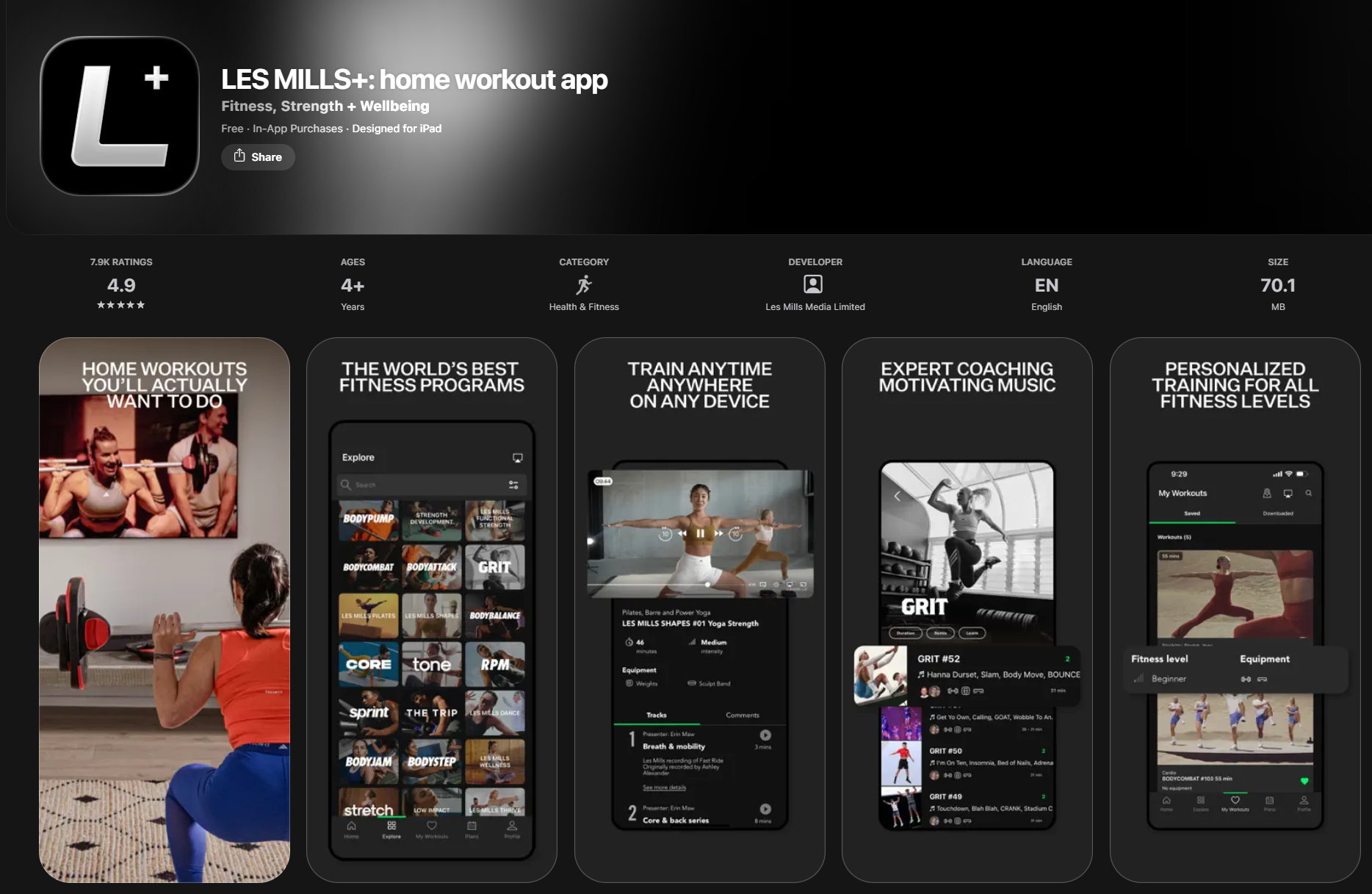
All LES MILLS On Demand apps are no longer supported
The LES MILLS On Demand app will be fully shut off and will not open or play workouts at all before 23 April 2026. To avoid disruption, switch to the LES MILLS+ app as soon as you can.
Make sure to delete the LES MILLS On Demand app
You need to delete the LES MILLS On Demand app from your iPhone and iPad device before 23 April 2026.
App store listing: This app is no longer listed in the App store, however the app may still be installed on your device
App name: “LES MILLS On Demand”
Version: 9.100.1
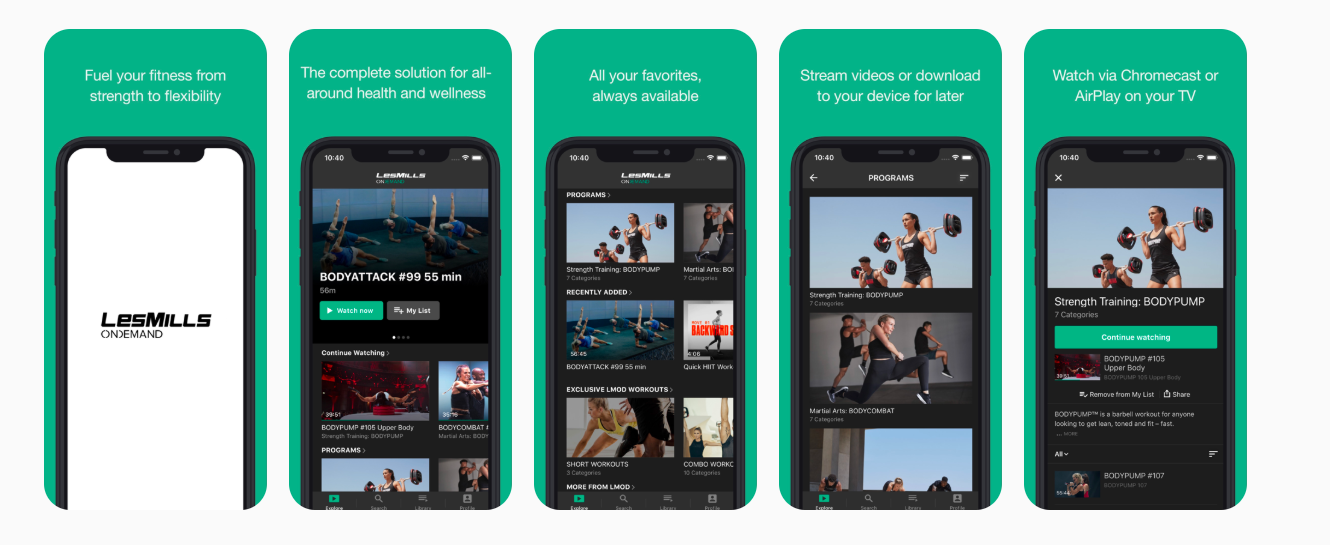
To delete the LES MILLS On Demand app from your iPhone or iPad:
Locate “LES MILLS On Demand” on your Home Screen or in the App Library.
Touch and hold the app icon until a menu appears or the apps start to jiggle.
If a menu appears, tap Remove App. Otherwise, tap the Remove (–) icon in the upper-left corner of the LES MILLS On Demand app
Select Delete App to remove it completely from your iPhone or iPad.
Confirm the deletion by tapping Delete.
Quick checklist for iPhone and iPad users
Am I on the right TV app?
The app is called “LES MILLS+: home workout app” on iPhone and iPad devices
You only have one LES MILLS+ app installed.
You might still be using an old app if:
The app is called “LES MILLS On Demand”
You have two different apps (“LES MILLS+” and “LES MILLS On Demand” and on your iPhone or iPad.
If you are unsure, the safest option is to:
Install the LES MILLS+ app from the App Store.
Sign in with your usual LES MILLS+ account.
Delete the LES MILLS On Demand app from your iPhone or iPad.
What happens if I keep using the old app?
If you continue to use the older LES MILLS On Demand apps, you may:
No longer be able to play videos
See errors or degraded performance
Lose access to new features and improvements
The LES MILLS On Demand app will be fully shut off and will not open or play workouts at all before 23 April 2026. To avoid disruption, switch to the LES MILLS+ app as soon as you can.
I have an Apple TV device (TVOS)
If your device already has the LES MILLS+ TV app installed, you only need to update it in the app store on your Apple TV device.
Update the LES MILLS+ app on your Apple TV device to the latest version
Open the App Store on your Apple TV.
Open “LES MILLS+: home workout TV”.
Tap “Update”.
Updated version should be 10.0.10
What should I see in the App Store?
A single LES MILLS+ app listing “LES MILLS+: home workout TV”
Version: 10.0.10
Clear LES MILLS+ naming (no “On Demand” naming in the title)
Check you have the LES MILLS+ app installed
App store listing: https://appstoreconnect.apple.com/apps/1564501204/distribution
App name: “LES MILLS+: home workout TV”
Version: 10.0.10


Quick checklist for Apple TV users
Am I on the right TV app?
The app is called “LES MILLS+: home workout TV” on Apple TV devices
You only have one LES MILLS+ TV app installed.
You might still be using an old app if:
The app is called “LES MILLS On Demand”
You have two different LES MILLS apps installed on your Apple TV device
If you’re unsure, the safest option is to:
Install the “LES MILLS+: home workout TV” app in the App Store from your Apple TV device.
Sign in with your usual LES MILLS+ account.
Delete any LES MILLS On Demand apps from your TV.
I have an Android phone, tablet or Android Smart TV device
Android mobile device examples:
Google Pixel 8
Samsung Galaxy S24
OnePlus 12
Android tablet device examples:
Google Pixel Tablet
Samsung Galaxy Tab S9
Lenovo Tab P12
Android SMART TV examples:
Nvidia Shield TV
Sony TVs with Android TV
Xiaomi Mi Box
The app store on your device is Google Play Store.
You may be using both the LES MILLS+ and LES MILLS On Demand apps so please read ahead to ensure you have the right app and app version installed. If you’re still using the older LES MILLS On Demand app, you’ll need to switch to the LES MILLS+ app before 23 April 2026.
If you are only using the LES MILLS+ app, you don’t have to do anything.
What should I see in the Google Play store?
You should see:
A single LES MILLS+ app listing:
“LES MILLS+: home workout app” for Android mobile and tablets.
“LES MILLS+ TV” for Android SMART TV and Google TV devices.
Clear LES MILLS+ naming (no “On Demand” naming in the title)
You should not see:
The “LES MILLS On Demand” app
If you still see an LES MILLS On Demand listing, you should ignore it and install or use the LES MILLS+ app instead.
Check you have the LES MILLS+ app installed
App name on Android mobile and tablet devices: “LES MILLS+: home workout app”
Version: 3.40.0
App name on Android SMART TV or Google TV devices: “LES MILLS+ TV”
Version: 10.0.10
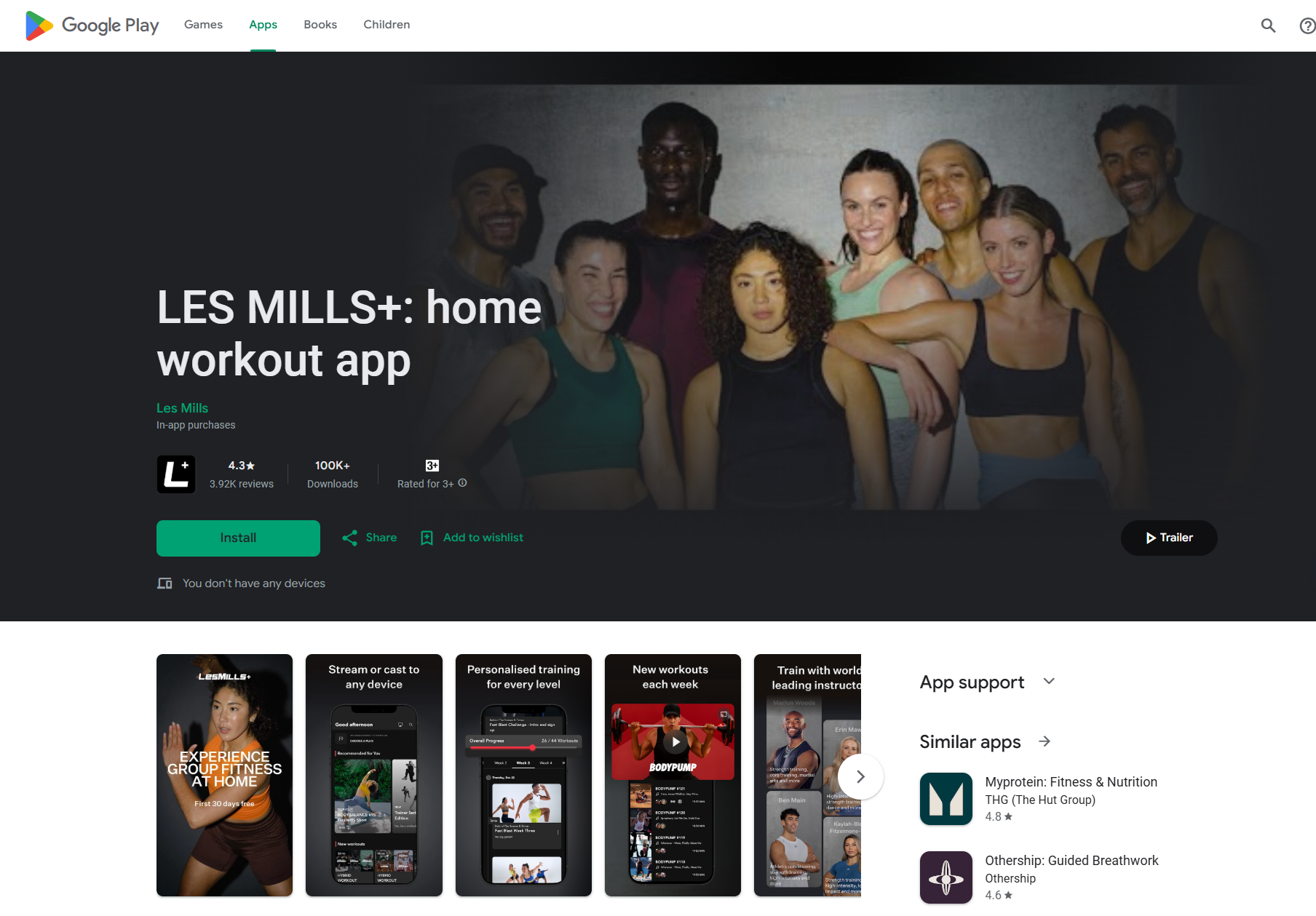

All LES MILLS On Demand apps are no longer supported
The LES MILLS On Demand app will be fully shut off and will not open or play workouts at all before 23 April 2026. To avoid disruption, switch to the LES MILLS+ app as soon as you can.
Make sure to delete the LES MILLS On Demand app
You need to delete the LES MILLS On Demand app from your Android mobile, tablet and Android SMART TV devices before 23 April 2026.
App store listing: This app is no longer listed in the Google Play, however the app may still be installed on your device
App name: “LES MILLS On Demand”
Version: 9.100.1
To delete the LES MILLS On Demand app from your Android phone and tablet devices:
Locate “LES MILLS On Demand” on your Home Screen or in the App Drawer.
Touch and hold the app icon until a menu appears or the apps start to jiggle.
If a menu appears, tap Uninstall or drag the app icon to the Uninstall section.
Confirm the deletion by tapping OK.
Through the Settings App:
Open the Settings app on your device.
Scroll down and select Apps or App Management.
Tap See all apps (if available).
Choose LES MILLS On Demand.
Tap Uninstall and confirm by selecting OK.
Via Google Play Store
Open the Google Play Store app.
Tap your Profile Icon in the top-right corner.
Select Manage apps & device.
Go to the Manage tab and locate LES MILLS On Demand.
Tap the Trashcan Icon and select Uninstall.
To delete the LES MILLS On Demand app from your Android SMART TV device:
Press the HOME button on your remote control.
Navigate to Google Play Store and select it.
Go to My Apps on the left pane.
Select LES MILLS On Demand.
Choose UNINSTALL and confirm by selecting OK.
Quick checklist for Android phone, tablet and Android SMART TV users
Am I on the right app?
The app is called “LES MILLS+: home workout app” on your Android mobile or tablet device.
The app is called “LES MILLS+ TV” on your SMART TV or Google TV device.
You only have one LES MILLS+ app installed.
You might still be using an old app if:
The app is called “LES MILLS On Demand”
You have two different apps (“LES MILLS+” and “LES MILLS On Demand” and on your Android devices.
If you are unsure, the safest option is to:
Install the LES MILLS+ app from Google Play store.
Sign in with your usual LES MILLS+ account.
Delete the LES MILLS On Demand app from your Android device.
What happens if I keep using the old app?
If you continue to use the older LES MILLS On Demand apps, you may:
No longer be able to play videos
See errors or degraded performance
Lose access to new features and improvements
The LES MILLS On Demand app will be fully shut off and will not open or play workouts at all before 23 April 2026. To avoid disruption, switch to the LES MILLS+ app as soon as you can.
You may be using the LES MILLS+ app on your Roku TV device, so please read ahead to ensure you are on the latest version. If you are already using the LES MILLS+ app and it’s up to date, you don’t need to do anything else.
We are retiring the older LES MILLS On Demand (LMOD) apps and updating them to our LES MILLS+ apps. To avoid disruption, make sure you have the latest version of the LES MILLS+ channel.
What should I see in the Roku Channel Store?
You should see:
A single LES MILLS+ channel listing: “LES MILLS+”
Version: 10.0.14 or above
Clear LES MILLS+ naming (no “On Demand” naming in the title)
You should not see:
A channel called “LES MILLS On Demand”
If you still see a LES MILLS On Demand channel installed, you should ignore it and use the LES MILLS+ channel instead.
Check you have the LES MILLS+ channel installed and updated
App name in the Roku Channel Store: LES MILLS+
Version: 10.3
To confirm you’re on the right app and latest version:
Press the Home button on your Roku remote.
Scroll to and highlight the LES MILLS+ channel.
Press the * (Options) button on your remote.
Select Check for updates.
Roku will check and install any available updates for the LES MILLS+ channel.
If you don’t see LES MILLS+ installed:
Press the Home button on your Roku remote.
Scroll to and select Streaming Store or Search.
Search for “LES MILLS+”.
Select the LES MILLS+ channel and choose Add channel.
Once installed, open the channel and sign in with your usual LES MILLS+ account.
What happens if I keep using the old app?
If you continue to use the older LES MILLS On Demand apps, you may:
No longer be able to play videos
See errors or degraded performance
Lose access to new features and improvements
The LES MILLS On Demand app will be fully shut off and will not open or play workouts at all before 23 April 2026. To avoid disruption, switch to the LES MILLS+ app on another device as soon as you can.